

 Conference
Live Replay WebinarIntermediate level
K2's Next Level Home Networking
★★★★★
4.6 · 27 attendee ratings
In this course, accounting professionals and technology enthusiasts will explore advanced home networking concepts to support remote work and modern digital needs. Learn to select prosumer-grade hardware, configure multi-SSID networks, and integrate functionalities like VPNs, media servers, and remote file access to boost productivity and security. Discover cutting-edge technologies, including SPF+ (10G networking), to future-proof your setup for data-intensive workflows. With practical demonstrations and relevant use cases, this session equips you with the tools to optimize your home network for efficiency, security, and scalability.
Watch
What's included
Every registration comes with the course materials — yours to keep.
- Course handout PDF
Course details
- Recommended CPE credit
- 2
- Field of study
- Information Technology
- Program level
- Intermediate
- Delivery method
- Group Internet Based
- Prerequisites
- None
- Advance preparation
- None
- Course number
- 25c-homenw
CPE Today (Devmatics, LLC) is registered with the National Association of State Boards of Accountancy (NASBA) as a sponsor of continuing professional education on the National Registry of CPE Sponsors (Sponsor ID 167619). State boards of accountancy have final authority on the acceptance of individual courses for CPE credit. Complaints regarding registered sponsors may be submitted to the National Registry of CPE Sponsors through its website, nasbaregistry.org. For information about our refund, complaint, and program cancellation policies, see Company Policies or contact [email protected].
💬 Ask this course
Not sure it covers what you need? Ask a real question — answered from the actual course content, so you can decide before you enroll.
Reading the course…
Answers come from this course's own material and can be imperfect — the full details are in the course itself.
Every way to take this course
On its own
Live Replay Webinar
Attend the next scheduled rebroadcast — full live CPE credit · 2 credits
$50
Add to Cart
As part of a multi-day event
These seminars include this course on their agenda. One registration covers the event — you attend this course on its scheduled day, plus everything else that day offers.
Dec
29
New Year Readiness: Automation & Analytics Launchpad
Conference · Dec 28–30, 2026
· Online · this course runs Dec 29, 2026 · event offers up to 18 credits
$200
View event
Your instructor

Brian Tankersley
Speaker & Author · K2 Enterprises · ★ 4.2 instructor rating
Brian Tankersley is a consultant who advises US firms and companies on accounting technology issues. Mr. Tankersley is a frequent speaker at continuing education courses for K2 Enterprises, and publishes a nationally recognized blog on accounting and technology (www.cpatechblog.com). He has also served as the technology editor for a major accounting industry publication. Mr. Tankersley has over 25 years of...
Full profile →Attendee feedback
4.6
27 attendee ratings
Attendee reviews
★★★★★
“I really liked the way that Brian Tankersley gave specific recommendations for a successful home office. He also emphasized good security measures.”
Common questions
Will this course help me if I'm not a network administrator?
Absolutely—you don't need to be a network admin to get real value here. The course is specifically designed for business professionals like you who work remotely. Brian walks through real-world setups, from entry-level prosumer hardware like TP-Link Omada (which has a web-based administration platform for remote management) all the way to enterprise-grade solutions like Ubiquiti. You'll leave with practical knowledge about isolating your work network, setting up guest networks, and understanding why these separations actually protect your firm—not just theory about how networks work.
What specific hardware brands and products will I actually learn to use?
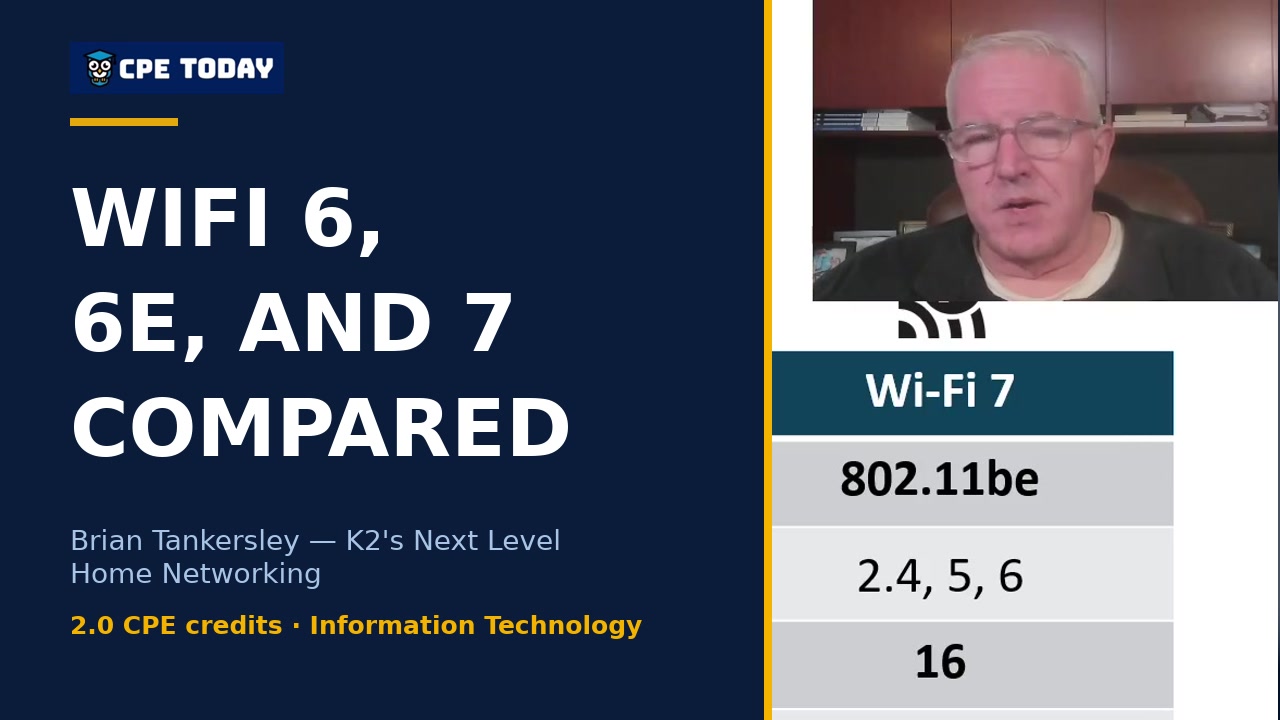
You'll get hands-on familiarity with prosumer and business-grade brands that are designed for home office security. The course digs deep into Ubiquiti's UniFi ecosystem (including the Dream Machine Pro that Brian uses), TP-Link's Omada line, and Cisco Meraki, with real demonstrations of their management interfaces. You'll also learn about power-over-ethernet switches, SFP+ fiber connections for 10-gigabit speeds, and WiFi 6/6E/7 access points. Brian shows you actual screenshots from his network configuration and explains the specific tools (like the Ubiquiti UI web platform) you'd use to configure them remotely—which matters when you need to troubleshoot your home network or help someone else troubleshoot theirs.
Do I need special software, a business internet connection, or prior networking experience to apply what I learn?
You need basic home networking familiarity (the course prerequisite), but nothing exotic. The biggest revelation is that you likely have more internet service options than you think—the course walks through BroadbandNow.com to show you exactly how to check what's available at your address, then compares fiber, cable, 5G wireless, and satellite side-by-side with actual speed and latency numbers. For configuration, you don't need business-class internet; Brian works through both personal and business service plans and explains which situations force you into a business account (spoiler: many remote workers can stay on personal plans). Most modern routers have web-based interfaces you already know how to use—no special software required.
After this course, what will I actually be able to do to secure my home network?
You'll be able to implement network isolation immediately—the core security move that protects a remote work setup. Specifically, you'll understand how to set up separate SSIDs (wireless networks) for work, IoT devices, guests, and personal use so that if your mother-in-law's Chinese TV connects to 40 different websites without permission, it can't see your work computer. Brian demonstrates this exact scenario and shows how he runs his "Camelot" network isolated from his "Camelot IoT" network. You'll also learn to configure Universal Plug and Play settings, set geographic IP blocks, enable firewall rules, and—if you go with business-grade hardware—set up a VPN server using either Ubiquiti's built-in tools or even a $100 Raspberry Pi running Pi-VPN. The course teaches you which settings matter (deep packet inspection, malware scanning) and which don't, so you're not paralyzed by options.
How much of this is hands-on configuration versus just understanding concepts?
This is heavily weighted toward the practical. Brian doesn't just explain VLANs—he shows you his actual network dashboard with real device counts, demonstrates his firewall country-blocking rules on screen, runs live speed tests to show latency differences between connections, and walks through the Ubiquiti Site Manager interface where he administers three separate network sites. He shows you the specific buttons to click (like disabling UPnP on home routers) and the exact port forwarding steps for gaming devices. You'll see real examples of Wi-Fi light bulb automation, bandwidth throttling for specific devices by MAC address, and how to use link aggregation to push beyond one-gigabit speeds. The concepts exist to support these real actions, not the other way around.
Related reading from our instructors
You might also like
Conference
 Conference
 Conference
 Conference