


 Conference
Live Replay WebinarBasic level
K2's Getting Started With Artificial Intelligence
★★★★★
4.6 · 190 attendee ratings
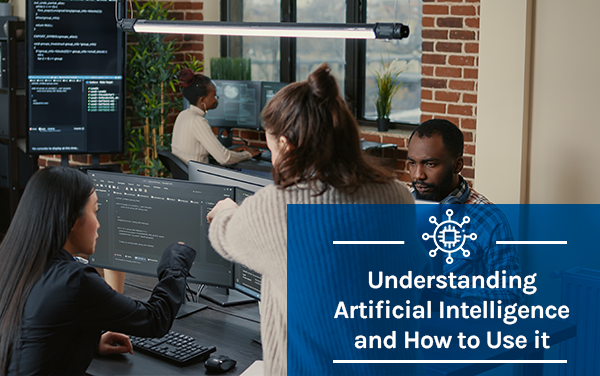
Much has been written and said about Artificial Intelligence (AI). But for many professionals, AI remains an enigma because they do not know how to get started using tools such as Bard, ChatGPT, and Copilot. If that describes your situation, relax because help is here! Participate in K2's Getting Started With Artificial Intelligence to learn to use today's AI tools. This session will teach you how to access and use multiple popular AI tools to improve efficiency and productivity. If you are starting with AI, this is one session you cannot miss!
Ways to save
Save $10.56 with a credit pass
At the 40-Credit Pass rate ($22.22 a credit with the bonus), this 2-credit course comes to about $44.44: $10.56 less than buying it on its own.
Or start smaller: the 10-Credit Pass ($275.00) pays for it and leaves you 8 credits for more.
Year-end bonus: up to 5 free credits through Dec 31.
Certain conditions apply: not valid for the Federal Tax Update. Pass terms
What's included
Every registration comes with the course materials — yours to keep.
- Course handout PDF
- Demonstration & sample files XLSX
- Additional course files DOCX, PDF, XLSX
Course details
- Recommended CPE credit
- 2
- Field of study
- Information Technology
- Program level
- Basic
- Delivery method
- Group Internet Based
- Prerequisites
- None
- Advance preparation
- None
- Course number
- 24c-getai
CPE Today (Devmatics, LLC) is registered with the National Association of State Boards of Accountancy (NASBA) as a sponsor of continuing professional education on the National Registry of CPE Sponsors (Sponsor ID 167619). State boards of accountancy have final authority on the acceptance of individual courses for CPE credit. Complaints regarding registered sponsors may be submitted to the National Registry of CPE Sponsors through its website, nasbaregistry.org. For information about our refund, complaint, and program cancellation policies, see Company Policies or contact [email protected].
💬 Ask this course
Not sure it covers what you need? Ask a real question — answered from the actual course content, so you can decide before you enroll.
Reading the course…
Answers come from this course's own material and can be imperfect — the full details are in the course itself.
Your instructor

Tommy Stephens
Partner · K2 Enterprises · ★ 4.6 instructor rating
Tommy Stephens received a Bachelor of Science in Business Administration degree (Major in Accounting) from Auburn University in 1985. In 1992, he earned a Master of Science degree (Major in Finance) from Georgia State University in Atlanta. Presently, Tommy is a Certified Public Accountant, a Certified Information Technology Professional, and a Chartered Global Management Accountant. In 1995, Tommy began...
Full profile →Attendee feedback
4.6
190 attendee ratings
Attendee reviews
★★★★★
“Great Beginner course for me”
★★★★★
“Really good session”
★★★★★
“This is the best course I have taken on AI. Thank you so very much! I have a much better understanding of how to use AI (and how not to use AI).”
★★★★★
“Tommy Stephens is very good”
★★★★★
“I appreciated the information about basic AI.”
★★★★★
“Great course! Excellent, scary topic.”
★★★★☆
“Stephen did a very good job of going over the material and providing information that made the material and the subject seem understandable.”
Common questions
I work in Excel and Word all day—will this course actually help me work faster, or is it just theory?
You'll see Copilot's deep integration with Microsoft 365 in action. The instructor walks through real examples: asking Copilot to write engagement letters in Word that you'd otherwise draft from scratch, creating 15-slide presentations on information security that serve as a professional first draft, and uploading a 141-page financial statement PDF into Excel to analyze trends and anomalies in 45 seconds. He shows you why Copilot works differently from ChatGPT or Gemini—it's woven into Excel, Word, PowerPoint, and Outlook so tightly that you don't copy-paste between tools. The time savings are substantial if you're in the Microsoft stack.
Do I need to worry about my firm's sensitive data ending up somewhere it shouldn't when I use AI?
This is addressed as the number-one issue in the course, and the instructor distinguishes sharply between free and paid versions. Free versions of ChatGPT, Gemini, and others explicitly reserve the right to train on your data by default—meaning a client's tax return or a private company's financial statements could feed into their models. Paid business versions (typically $20–$30 per month) do not train on your data by default. Critically, with Copilot and Microsoft 365, data privacy controls are locked on automatically—you cannot turn them off as an end user, and Microsoft does not share or train on your data. The course teaches you how to verify and enable privacy settings in other platforms.
I've never used ChatGPT or any AI tool before—do I need background knowledge to follow this?
No. The course opens by defining AI in plain language ("computers doing things humans would otherwise do") and walks through how these tools work using a simple analogy: the large language model is just a very large database trained to recognize relationships between words. The instructor uses familiar examples like blocking email in Outlook (machine learning you've probably used for years) to build comfort before moving to ChatGPT, Gemini, and Copilot demos. By the middle of the session, you'll have seen live prompting, custom instruction setup, and output modification, all explained step-by-step.
What can I actually do after this course that I can't do today?
You will be able to create professional documents (engagement letters, tax memos, policy and procedure manuals) by prompting rather than starting from a blank page. You'll know how to upload a complex financial document and get AI to surface trends, anomalies, and patterns in minutes instead of hours of manual review. You'll be able to generate flowcharts for internal controls, build presentation decks, and query data across multiple AI platforms—and you'll understand which tool to choose based on your workflow (Copilot for Microsoft 365 users, Gemini for Google Workspace users, ChatGPT as an all-around option). You'll also know how to validate AI output by requesting citations and cross-checking with other platforms to catch errors before they cost you.
How much is hands-on demo versus lecturing?
The course is structured around live demonstration. After 38 minutes of foundational concepts (definitions, major platforms, pricing and privacy), the instructor spends the remaining 77 minutes showing you working examples: opening ChatGPT and Gemini side-by-side to draft engagement letters, modifying prompts in real time, generating and refining a flowchart for accounts payable controls, uploading Disney's 141-page financial statements to both ChatGPT and Copilot/Excel, and building a PowerPoint presentation from a single prompt. You see the tools, watch the outputs, and hear the instructor critique what worked and what didn't (like Copilot missing the exact word count). This is working knowledge, not theory.
Related reading from our instructors
You might also like
Conference
 Seminar
 Seminar

K2's Time To Advance Automation
Information Technology
★★★★★
4.5 (187)
$55 · Live Replay
Live dates from $250/day