



 Conference
Live Replay WebinarAdvanced level
K2's Excel PivotTables for Accountants
★★★★★
4.5 · 13 attendee ratings
Many business professionals consider PivotTables the most powerful feature in Excel, yet most accounting and financial professionals do not use them in their day-to-day activities. If you are ready to learn how to take advantage of PivotTables or extend your existing knowledge, then this course is for you! In this dynamic and engaging session, you'll master how to: • Build PivotTables from scratch • Group data inside PivotTables, including options for fiscal periods • Create user-defined calculations in your PivotTables We start with the fundamentals and quickly move to advanced techniques, including: • Building PivotTables that consolidate data from multiple ranges • Connecting PivotTables dynamically to external databases and financial accounting systems • Leveraging other Excel features associated with PivotTables, such as Slicers, Power Query, and Power Pivot This seminar is a must for anyone eager to enhance their Excel skills and transform their workflow. With guidance and coaching from your K2 instructor, you'll be ready to use PivotTables to analyze and report on extensive data sets in a fraction of the time you spend completing such tasks.
Ways to save
Bundle & save $45.00
Get this course and 2 more in the Excel for Accountants Bundle: 16 credits for $415.00, instead of $460.00 separately.
Save $26.12 with a credit pass
At the 40-Credit Pass rate ($22.22 a credit with the bonus), this 4-credit course comes to about $88.88: $26.12 less than buying it on its own.
Or start smaller: the 10-Credit Pass ($275.00) pays for it and leaves you 6 credits for more.
Year-end bonus: up to 5 free credits through Dec 31.
Certain conditions apply: not valid for the Federal Tax Update. Pass terms
What's included
Every registration comes with the course materials — yours to keep.
- Course handout PDF
- Demonstration & sample files ZIP
Course details
- Recommended CPE credit
- 4
- Field of study
- Accounting, Computer Software and Applications
- Program level
- Advanced
- Delivery method
- Group Internet Based
- Prerequisites
- None
- Advance preparation
- None
- Course number
- 23s-ept
CPE Today (Devmatics, LLC) is registered with the National Association of State Boards of Accountancy (NASBA) as a sponsor of continuing professional education on the National Registry of CPE Sponsors (Sponsor ID 167619). State boards of accountancy have final authority on the acceptance of individual courses for CPE credit. Complaints regarding registered sponsors may be submitted to the National Registry of CPE Sponsors through its website, nasbaregistry.org. For information about our refund, complaint, and program cancellation policies, see Company Policies or contact [email protected].
Every way to take this course
On its own
Live Replay Webinar
Start it whenever you like — full live CPE credit · How Live Replay works · 4 credits
$115
Add to Cart
As part of a multi-day event
These seminars include this course on their agenda. One registration covers the event — you attend this course on its scheduled day, plus everything else that day offers.
Oct
28
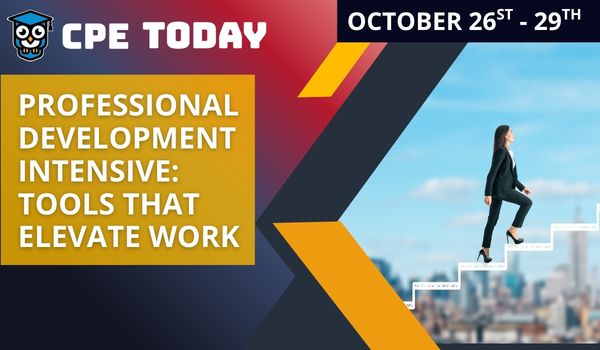
Professional Development Intensive: Tools That Elevate Work
Seminar · Oct 26–29, 2026
· Online · this course runs Oct 28, 2026 · event offers up to 24 credits
$200
View event
Dec
28
New Year Readiness: Automation & Analytics Launchpad
Seminar · Dec 28–30, 2026
· Online · this course runs Dec 28, 2026 · event offers up to 18 credits
$200
View event
Your instructor

K2 Enterprises
Various Speakers · Accounting Technology · ★ 4.2 instructor rating
K2's goal is to produce and deliver the highest quality technology seminars and conferences available to business professionals. We work cooperatively with professional organizations (such as state CPA societies and associations of Chartered Accountants) and vendors of technology products. K2 also provides consulting services and advice on technology. We make every effort to maintain a high level of integrity,...
Full profile →Attendee feedback
4.5
13 attendee ratings
Attendee reviews
★★★★★
“The instructor was engaging and kept things moving at a good pace.”
★★★★★
“Mac is exceptionally knowledgable in the area of Excel PivotTables, plus he has developed a presentation style over the years that keeps one's interest throughout an 8-hour CPE.”
Related reading from our instructors
You might also like
Conference
 Seminar
 Seminar
 Seminar
Next week
Seminar
Next week