

 Conference
Live Replay WebinarIntermediate level
K2's Taking A Fresh Look At Teams
★★★★★
4.8 · 36 attendee ratings
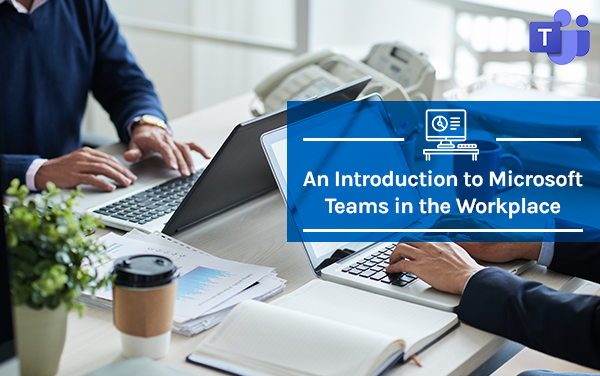
Just because Microsoft Teams is no longer a new tool doesn’t mean it hasn’t evolved…it certainly has! Since its introduction in 2016, Teams has become the de facto business productivity platform for organizations worldwide. Yet, many users barely scratch the surface of all that Teams offers. Participate in this session to learn how to get more from Teams and enhance your ROI on the platform. In this session, you will learn about the core options available in Teams and how to leverage them. You will also learn about new enhancements in Teams, including threaded conversations, enhanced meeting features, and integration with Microsoft’s Copilot platform. If you use Teams and want a deeper understanding of the platform, don’t miss your opportunity to participate in this session.
Ways to save
Save $10.56 with a credit pass
At the 40-Credit Pass rate ($22.22 a credit with the bonus), this 2-credit course comes to about $44.44: $10.56 less than buying it on its own.
Or start smaller: the 10-Credit Pass ($275.00) pays for it and leaves you 8 credits for more.
Year-end bonus: up to 5 free credits through Dec 31.
Certain conditions apply: not valid for the Federal Tax Update. Pass terms
What's included
Every registration comes with the course materials — yours to keep.
- Course handout PDF
- Additional course files PDF
Course details
- Recommended CPE credit
- 2
- Field of study
- Computer Software and Applications
- Program level
- Intermediate
- Delivery method
- Group Internet Based
- Prerequisites
- None
- Advance preparation
- None
- Course number
- 25c-teams
K2 Enterprises is registered with the National Association of State Boards of Accountancy (NASBA) as a sponsor of continuing professional education on the National Registry of CPE Sponsors (Sponsor ID 103648). State boards of accountancy have final authority on the acceptance of individual courses for CPE credit. Complaints regarding registered sponsors may be submitted to the National Registry of CPE Sponsors through its website, nasbaregistry.org. For information about our refund, complaint, and program cancellation policies, see Company Policies or contact [email protected].
💬 Ask this course
Not sure it covers what you need? Ask a real question — answered from the actual course content, so you can decide before you enroll.
Reading the course…
Answers come from this course's own material and can be imperfect — the full details are in the course itself.
Every way to take this course
On its own
Live Replay Webinar
Start it whenever you like — full live CPE credit · How Live Replay works · 2 credits
$55
Add to Cart
As part of a multi-day event
These seminars include this course on their agenda. One registration covers the event — you attend this course on its scheduled day, plus everything else that day offers.
Nov
17
Technology Improvement Week: Better Systems, Better Results
Seminar · Nov 16–19, 2026
· Online · this course runs Nov 17, 2026 · event offers up to 25 credits
View event
Your instructor

Tommy Stephens
Partner · K2 Enterprises · ★ 4.6 instructor rating
Tommy Stephens received a Bachelor of Science in Business Administration degree (Major in Accounting) from Auburn University in 1985. In 1992, he earned a Master of Science degree (Major in Finance) from Georgia State University in Atlanta. Presently, Tommy is a Certified Public Accountant, a Certified Information Technology Professional, and a Chartered Global Management Accountant. In 1995, Tommy began...
Full profile →Attendee feedback
4.8
36 attendee ratings
Common questions
I've been using Teams for basic chats and meetings—will this course teach me things I don't already know?
Yes. Most Teams users never discover the collaboration features that make it genuinely powerful. In this course, you'll learn how to enable multiple people to edit the same Excel, Word, or PowerPoint document simultaneously without any special sharing setup—just by storing files in Teams. You'll also see how to sync critical data to your local hard drive so you can work offline on airplanes, how to add third-party apps like QuickBooks Online directly into Teams so it becomes your single workspace, and how to set up automatic meeting transcription with AI. These aren't obvious features, and the instructor walks through live demonstrations of each.
Do I need to be an IT administrator or have technical certification to set up Teams properly?
No. This course is designed for business professionals, not IT specialists. The instructor covers how to create teams, set up channels as logical subdivisions (like folders within a folder), and configure basic security by deciding who can join—but you won't need to touch administrative settings or command-line tools unless you want to. If your organization has IT staff, they handle the heavy lifting; you just need to know how to use Teams strategically once it's live, which is what this course teaches.
Our firm is worried about recording meetings without everyone's consent—does Teams make that legally safe?
Teams makes recording and automatic transcription very easy, but the legal safety depends on your location. The instructor specifically warns that 13 U.S. states have two-party consent laws that may make unauthorized recording illegal, and similar laws exist in Canadian provinces. Best practice—whether required by law or not—is to announce that a meeting is being recorded before you start. Teams gives you the tools; you need to use them responsibly by informing participants.
Can I really use Teams as my main phone system, or just for quick calls with coworkers?
Teams can be either. The instructor explains that you can use Teams for informal intracompany calls (just clicking to chat with someone), but you can also turn Teams into your full-blown external phone system by subscribing to Microsoft's telephony add-on. This means every call—internal or external—runs through Teams. Not every firm needs this, but it's available, and the course covers how to think about whether it makes sense for your business.
Our company stores everything locally—do we have to move data to the cloud to use what you teach in this course?
No. The course shows you how to use Teams whether your data lives in the cloud or locally. The instructor demonstrates syncing Teams files to your local hard drive so you can work offline and have a quasi-backup, which bridges cloud and local storage. You don't have to restructure your entire data strategy to benefit from Teams' collaboration and communication tools—though the instructor does make a case for why cloud storage (like OneDrive) unlocked with Teams unlocks the multiuser editing features that are hardest to replicate locally.
Related reading from our instructors
You might also like
Conference
 Seminar
 Seminar

K2's Excel Best Practices And Features
Computer Software and Applications
★★★★☆
4.5 (230)
$55 · Live Replay