
How to Automate Repetitive Work Tasks: Reclaim Hours from Your Workday Without Working Harder
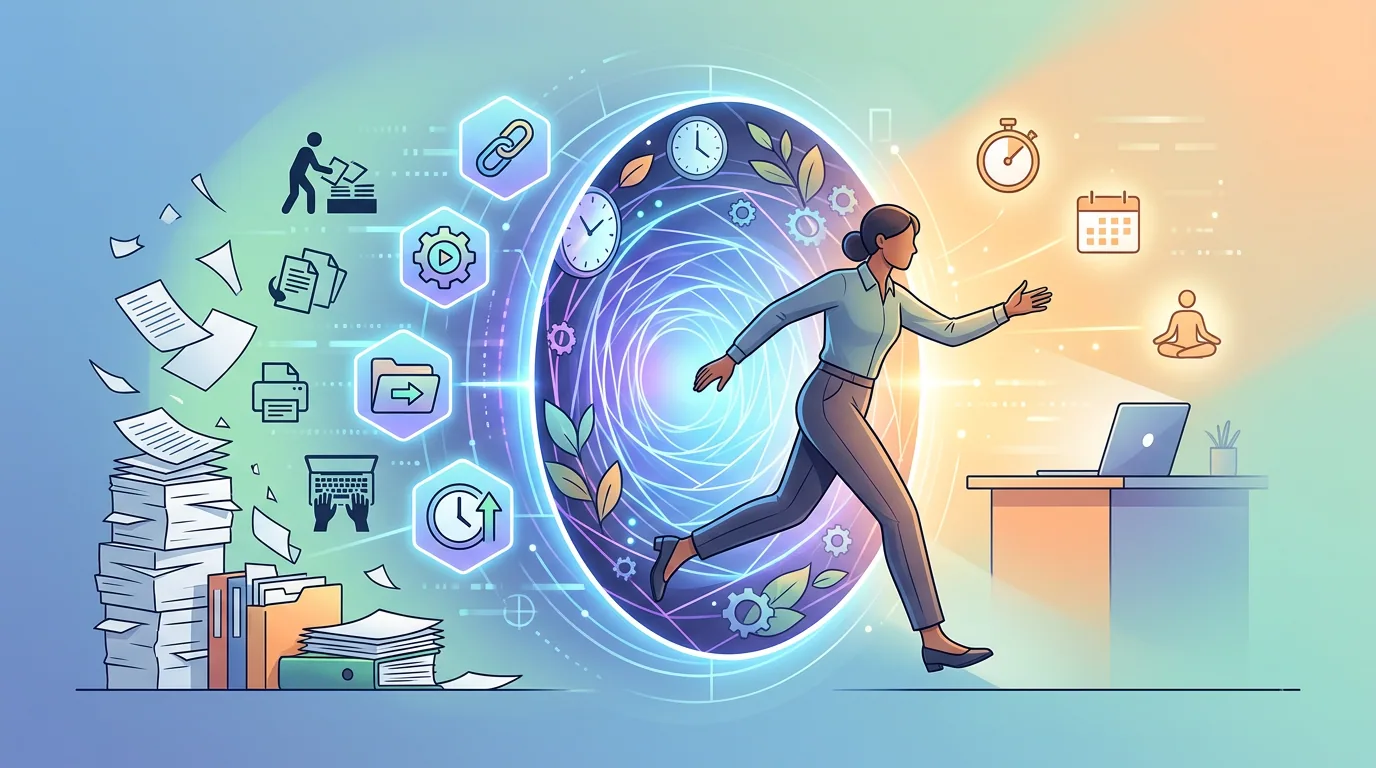
A few years ago I started keeping a running list of everything I did more than once a week. Scheduling calls, sorting email, backing up files, turning off lights I'd already walked past. The list got long fast. Somewhere around item twelve, I stopped thinking of it as a to-do list and started thinking of it as a bill: hours I was paying out of my own pocket every single day for work that didn't have to be mine. That's when I got serious about how to automate repetitive work tasks, and it changed everything about how I spend my day. If that list sounds familiar, you're already halfway to your first automation.
We All Get Twenty-Four Hours — Here's How Some People Squeeze More Out of Them
Here's the uncomfortable truth: it doesn't matter whether you're Bill Gates or a solo practitioner in Tulsa. You get twenty-four hours. That's the one resource nobody can buy more of, and the one resource most professionals spend without ever really deciding to.
The people who seem to get more done aren't working longer. They've just stopped doing work that didn't have to be theirs in the first place. Most of what fills a professional workday, sorting email, scheduling calls, copying data from one system into another, chasing down routine approvals, is work a well-configured tool can handle without you. The problem isn't that automation is hard to find. It's that most of us never stopped to ask whether the task had to be manual at all.
I'll be honest about what finally pushed me to take this seriously. I have a two-year-old daughter, and I want to actually be in her life. Not catching glimpses of her between client calls. Not checking email on my phone while she's in the other room doing something I'll never get to see again.
The automation and integration tools I've put in place over the last few years have given me back time I would have lost permanently. I couldn't do what I do now, at the level I do it, without them. That's not an exaggeration.
And here's the thing nobody tells you early enough in your career: there's no extra credit for doing it the hard way. Nobody's handing out awards for manually re-entering data that could flow automatically between two systems. Clients don't pay a premium because you sorted your inbox by hand. As a professional, you're judged on your output and your judgment, not on how many repetitive tasks you personally touched before the work got done.
The hours you spend on low-value manual work are hours you're not spending on the things that actually move the needle for your clients, your firm, or your family.

— Stephen M. Yoss, CPA
The Mindset Shift: Think of Automation as Time Travel
Here's the frame I keep coming back to, and I use it because it actually works: automation is time travel. Not the DeLorean kind, sadly. But if you can squeeze twelve hours of productive work into an eight-hour day, you just reclaimed four hours. That's not a metaphor for working faster. That's a genuine transfer of time from the machine to you, and you get to spend it however you want.
The other frame I reach for is a truck and trailer. I drive an F350 with a big diesel engine that gets a whopping 14 miles to the gallon. But when I hitch up my trailer, I can move an additional 15,000 to 20,000 pounds. I don't get there any slower. I don't burn dramatically more fuel. I just move an enormous amount more stuff with essentially no extra effort. That's what automation does to your workload. The resources you're putting in stay roughly the same. The output multiplies.
What I've found over time is that once something is automated, it doesn't just get easier. It disappears entirely. I don't think about my calendar anymore. Someone who wants to meet with me picks a time from my availability, and it's on the books. Done.
My email is handled almost entirely by automation and AI now, somewhere in the 95 to 100% range for drafting. My home lighting responds to presence detectors, so I'm not walking around flipping switches. My backup runs on schedule without me ever touching it. These aren't things I manage. They're things I've solved once and stopped paying attention to.
That shift in how you think about it matters as much as any specific tool. I've come to treat automation as a hobby, honestly. It's become a genuine interest to ask: how can I process this faster, with fewer errors, without me being the one doing it? That question, once you start asking it, doesn't really turn off. You start seeing repetitive work differently, not as inevitable, but as a puzzle waiting to be fixed.

— Stephen M. Yoss, CPA
Integration vs. Automation: Getting the Definitions Straight
These two words get used interchangeably, and that's understandable. They're genuinely tangled up with each other. But they're not the same thing, and the distinction matters when you're trying to figure out what problem you're actually solving.
Integration is about data sharing. When two systems can pass information back and forth without you physically moving it, they're integrated. A simple example: if you connect your Google Calendar to Microsoft Outlook so that an event created in one automatically appears in the other, that's integration. Nobody copied anything. Nobody pasted anything. The systems talked, and the work happened without you.
Automation is about action without a human in the loop. It can be triggered by an event, run on a schedule, or respond to a feedback signal. The defrost cycle on a garage freezer is automation. It runs through a programmed sequence to keep the coils clear, and it doesn't wait for you to press anything. A stoplight is automation. It follows a timer, or it detects a car on the ground sensor and adjusts the signal. No person is deciding when to turn it green.
Automation usually involves integration, but it doesn't have to. And integration by itself isn't necessarily automated. You could build a data connection that still requires someone to click a button to trigger it. They overlap more than they diverge, which is why the definitions feel slippery.
The more useful way to think about it is that simple automation and complex automation build on each other. You start with something small: don't run the thermostat when the house is empty. That's a presence detector talking to an HVAC controller. Once you're comfortable there, you can layer in more: inventory thresholds that trigger purchase orders, business rules that route approvals, multi-system workflows that span your CRM, your accounting software, and your email. The complexity compounds, but it grows from the same foundation.
So don't get too attached to the taxonomy. These tools are interdependent by design, and they flow into each other constantly. The definitions are a starting map, useful for knowing which problem you're trying to solve, not for drawing hard lines between categories.

Integration vs. Automation at a Glance
- Connects two or more systems so they can share data
- Removes the need to manually copy or transfer information
- Example: Google Calendar syncing events into Microsoft Outlook
- The systems talk — you don't have to
- Triggers an action without a human making it happen
- Can run on a schedule, an event, or a feedback signal
- Example: a freezer defrost cycle, a traffic light, a thermostat responding to an empty house
- The work runs — you don't have to be there
Why Bother? The Real Benefits of Automating Your Work
Let's start with the one that gets people's attention fastest: money. Payroll is, for most businesses, the single largest line item on the expense report. Automation doesn't call in sick. It doesn't need health insurance, PTO, or a performance review. Once it's configured, it runs 365 days a year, 24 hours a day, without complaint. The cost of the tool almost never comes close to the cost of the human doing the same work manually, and that gap widens every year you keep the automation running.
Accuracy is the second benefit, and it's one people underestimate. An automation does exactly what you told it to do, every single time. It doesn't get tired at 4:30 on a Friday. It doesn't have a bad hair day. When errors do show up, they're almost always a setup problem or a data problem. Something changed in the underlying information, or the configuration was wrong from the start. The automation itself? Flawless. That kind of consistency is genuinely hard to get from a human being doing repetitive work at volume.
Scale is where it gets interesting for growing businesses. When you automate the low-value tasks, the data entry, the routine approvals, the copy-paste work between systems, you free your people to do the work that actually moves the needle. That's how you grow without just adding headcount. You're not replacing people; you're redirecting them toward work that's worth their time.
Here's the one that surprises people most: forced standardization. I'm working right now with a client that has about ten offices, and we're building automation around their order processing. A big chunk of that project has had nothing to do with technology. They've had to standardize the way they enter orders and fulfill them across all ten locations before the automation could even kick in. Every office had its own quirks, its own way of doing things. The automation exposed that immediately. The technology essentially made them fix a process problem they'd been quietly ignoring for years.
Security is the last one, and it's not a small thing. Human error and insider access are among the leading causes of data breaches, and the more you can remove people from critical transaction workflows, the smaller your exposure. Critical business functions like password resets, order processing, and credit card refunds are exactly the kind of processes that benefit from having fewer hands in the loop. Automation doesn't get curious. It doesn't click on suspicious links. It just runs the process.
The Five Reasons to Start Automating Now
- ☐ Cost savings that compound: Automation runs around the clock without payroll, benefits, or sick days — and payroll is often the biggest expense a business carries.
- ☐ Zero-error execution: The process runs exactly as configured, every time. Fatigue and distraction don't exist in a workflow.
- ☐ Scale without proportional hiring: Redirect human effort from low-value repetitive tasks to high-value work that actually grows the business.
- ☐ Forced standardization: Automation can't work on a moving target — it will surface inconsistent processes and make you fix them, which is usually overdue anyway.
- ☐ Reduced security exposure: Removing people from critical transaction workflows (refunds, resets, approvals) cuts the most common source of data breaches.
Where Automation Breaks Down: The Honest Limits
Not everything should be automated. That's not a disclaimer. It's actually useful information, and skipping it will cost you time you were trying to save.
The first category to avoid is anything that's highly subjective or requires a lot of human judgment at each step. Can AI evaluate a piece of artwork or assess the tone of a difficult client conversation? Technically, yes. Is that the best use of it? Probably not. The same logic applies to any workflow with ten or more manual decision points scattered through it. The complexity of wiring all those branches together usually outweighs whatever you'd save. The basic tools start to buckle under that kind of weight, and the good news is that most tasks don't come close to that threshold.
The second limit is one I run into constantly with clients: dirty data. If the information flowing into your integration isn't consistent in format, shape, and style, the automation is going to have problems. This isn't a tool limitation. It's a data problem, and no integration platform fixes it for you. You have to standardize first.
I'm working with a client right now who wants to connect their inventory system to their accounting system, and before we could write a single workflow, we had to get their product records into a consistent format. The technology was ready. The data wasn't.
Legacy systems are a related trap, and they're often more trouble than they're worth. I had a client running an older enterprise management system who wanted modern reporting and a web presence. We couldn't bolt anything useful onto what they had. The system simply didn't support integration in any meaningful way. We ended up building a replacement from scratch. That was the right call, and the outcome was far better than anything we could have patched together on the old foundation.
The lesson is this: if your underlying system is the problem, fix it first. Automating on top of a broken foundation doesn't save time. It just makes the mess harder to untangle later.
Finally, there's no free lunch here. Tools like Zapier and Power Automate carry ongoing subscription fees. Even platforms that are free to use require someone capable to design and implement the workflows, and that person's time isn't free either. When I look at what we pay across all our automation and AI tools, it's still far less than what the equivalent human effort would cost. But the cost is real, and you should go in with eyes open.
How to Automate Repetitive Work Tasks First: The Frequency-and-Simplicity Filter
The gold standard for automation candidates is two things at once: high frequency and low complexity. If you're doing something multiple times a day, multiple times a week, or every single month, and the process itself is straightforward, that task should be automated so completely that you never have to think about it again. Not just faster. Gone.
My canonical example is calendar booking. I take somewhere between six and fifteen appointments a week with clients, vendors, colleagues, and event organizers. For years, scheduling those appointments ate real time: the back-and-forth, the "does Thursday at 2 work for you," the inevitable reschedule. I switched to a scheduling tool built for this exact problem and now people just pick a time from my available slots. The tool books it, sends the confirmations, and updates my calendar. I'm involved in zero of that.
I use cal.com, though Calendly is probably the better-known name in this space. Either one works. In six or seven years of using tools like these, I've never had anyone abuse the open booking link. It just works, quietly, every week, without me.
Time-sensitive tasks that absolutely cannot be skipped are the other strong category. Backup is the clearest example. If backup doesn't run on schedule, you don't find out until something catastrophic happens: a drive failure, a ransomware hit, a fat-finger delete. That's exactly the kind of task that has to be automated, because the consequence of a human forgetting it even once is severe. Set it, test it, and then let it run forever without thinking about it again.
If you want to see how this same logic applies to more complex, multi-system workflows — the kind that span your accounting software, your CRM, and your document management — agentic AI for accounting firms shows exactly how that plays out at the month-end close level.
Where most people get stuck is that they never actually write any of this down. Start there.

Build Your Automation Inventory
- List everything you do daily, weekly, and monthly.
Don't filter yet — just get it on paper. If you do it with any regularity, it belongs on the list.
- For each item, note how long it takes and how often you do it.
A five-minute task done fifteen times a week is seventy-five minutes. That math adds up faster than it looks.
- Ask whether the process is simple and consistent.
If the steps are basically the same every time and don't require a judgment call at each turn, it's a strong hand-off candidate.
- Flag the tasks that hurt most when you're slammed.
Time saved in the middle of a slow month is nice. Time saved at month-end close, or in the thick of tax season, or whenever your own peak hits — that's where automation pays double. Prioritize the things that grind you down when you can least afford to be ground down.
- Skip the annual tasks for now.
Once you've automated the daily and weekly friction, revisit the once-a-year items. Start where the frequency is highest.
How to Calculate the ROI on Automating a Task
The math here is genuinely simple, and running it even once tends to change how you look at your calendar. Take the hours a task requires, multiply by your effective hourly rate, multiply by how often you do it in a week, and you have the weekly cost of doing that thing manually. That number is also your ceiling for what it's worth spending to automate it.
My own email is the example I always come back to because the numbers were hard to ignore. I was spending two to three hours a day managing my inbox: reading, sorting, drafting replies, flagging things, letting things sit until I could get back to them. At that rate, email alone was consuming somewhere between ten and fifteen hours a week. That's not a small line item. It's a part-time job I was doing for free, every week, on top of everything else.
So I invested a serious chunk of time upfront configuring AI and automation to handle it. The setup wasn't instant. But once it was running, that time came back to me permanently. Today, essentially all of my email is handled through automation. The AI drafts responses, routing rules sort what needs sorting, and the inbox that used to eat my mornings mostly takes care of itself. The upfront investment paid for itself in the first week and has been paying dividends ever since.
Here's the part that surprises most people: you don't need a technology committee, a budget approval, or a six-month rollout plan to get started. A lot of the most valuable automations are sitting two centimeters below the surface of tools you already own. Outlook rules. Calendar scheduling links. Power Query in Excel. These aren't exotic. They're features that ship with software you're probably already paying for, and most people have never turned them on. The ROI on those is essentially infinite because the tool cost is already sunk.
Start with one task. Run the numbers. If you're doing something for three hours a week and you value your time at even a modest hourly rate, the case for automating it writes itself.
Pick the Right Tool for the Job — There's No Single Hammer Here
There's a trap that catches a lot of people when they first get serious about automation. They find one tool they like, maybe Zapier, maybe ChatGPT, and they start applying it to everything. Every problem starts to look solvable with that one thing. And some of them are, but a lot of them aren't, and you end up with clunky workarounds where a different tool would have just worked cleanly.
The actual landscape here is wide. On the AI side alone you've got ChatGPT, Claude, and Gemini, and they're genuinely not interchangeable. Each has different strengths depending on what you're trying to do. Then there are voice assistants like Alexa for hands-free, ambient tasks. There are integration platforms like Zapier, Power Automate, and n8n that connect your business systems together. And then there's a whole category of tools you probably already own, Microsoft 365, Google Workspace, your calendar app, that have automation features sitting two centimeters below the surface that most people never touch.
No single product wins every problem. That's not a limitation of the technology. It's just how a mature tool ecosystem works. A scheduling problem calls for a scheduling tool. A data-sharing problem between two business systems calls for an integration platform. A drafting problem calls for a generative AI. Reaching for the wrong one doesn't just give you a worse result; it makes automation feel harder than it is, and that's usually what convinces people it isn't worth pursuing.
In my own life right now, I'm running somewhere around twenty to thirty separate integrations simultaneously. They cover email, calendaring, home automation, client workflows, meal planning, backup, and almost none of them use the same tool. Some are pure AI. Some are iPaaS workflows. Some are just features of software I was already paying for, finally turned on. The combination is what makes it work. You build the tool belt first, then you pick the right one for each job.
Your Automation Tool Belt: What Belongs in It
- ☐ Generative AI (ChatGPT, Claude, Gemini): Best for knowledge work — drafting, summarizing, analyzing data, answering complex questions. Each model has different strengths; match the model to the task rather than defaulting to whichever one you opened first.
- ☐ Voice assistants (Alexa and similar): Best for ambient, hands-free tasks where stopping to type isn't practical — timers, reminders, quick lookups, controlling smart home devices without breaking your workflow.
- ☐ Integration platforms (Zapier, Power Automate, n8n): Best for connecting two or more systems that don't talk to each other natively — triggering an action in one app when something happens in another, without any manual copying or pasting.
- ☐ Tools you already own, used fully: Microsoft 365 and Google Workspace both contain automation capabilities most users never configure — email rules, calendar integrations, data refresh in Excel, and more. These cost nothing extra and are often the fastest wins available.
- ☐ Scheduling tools (cal.com, Calendly): Narrow purpose, but so effective at that purpose that they belong on every professional's list. One configuration, and a whole category of back-and-forth just stops happening.
- ☐ The combination: Most real workflows need more than one of these. Don't look for the one tool that does everything — look for the right tool for each layer of the problem, and let them work together.
Suggested Courses: Where to Go Next
If you've made it this far, you've got the mindset and the method. You know what automation actually is, how to find the candidates worth pursuing, and how to run the numbers before you commit. What comes next is the hands-on part: picking up the tools and building something real. All three courses below are available for CPE credit through CPE Today, so the time you spend in them counts toward your continuing professional education hours.
The three courses below are the natural next steps, and they're sequenced deliberately. Each one picks up roughly where this article leaves off, so you're not retreading the same ground.
The ABCs of Automation with Microsoft's Power Platform is the right starting point if your firm already runs on Microsoft 365. You'll learn how to automate inside the tools you're already paying for. Power Automate, Power Query, and the rest of that ecosystem have more depth than most people ever reach, and this course is built specifically to get financial professionals past the surface level. If your ROI calculation pointed at something you're doing repeatedly inside Excel, Outlook, or SharePoint, start here.
Better Productivity Through Artificial Intelligence and Automation Tools broadens the lens. If your inventory turned up a mix of email, document handling, and client communication that spans more than one system, this is where you'll find those pieces connecting. You'll come away understanding how generative AI and automation work together in everyday professional workflows, and how to apply that combination to tasks that don't fit neatly inside a single platform.
Turbo-Charging Productivity with Artificial Intelligence and Automation is the accelerator. Once you've got a few automations running and you understand how the tools talk to each other, you'll push further here: more complex workflows, more integration between systems, and a clearer picture of what's actually possible when you stop treating AI as a search engine and start treating it as a working member of the team.
None of these require a technical background. They're built for the same audience this article was written for: professionals who are serious about getting their time back and are willing to spend a little of it upfront to make that happen permanently. Pick the one that matches where your inventory landed, and go from there.
Frequently Asked Questions
How do I know which tasks are worth automating?
Start with frequency and simplicity. If you're doing something multiple times a week and the steps don't change much from one instance to the next, it's a strong candidate. The easiest way to find these is to write a list of everything you do daily, weekly, and monthly, then mark anything that feels repetitive and rule-based. From there, run a quick ROI check: multiply the time it takes by how often you do it and by what an hour of your time is worth to your business. If the number surprises you, that's your first target.
What's the difference between integration and automation, and do I need both?
Integration is about getting two systems to share data without you manually moving it — think of your calendar syncing across apps, or a new customer record appearing in two places at once. Automation is about something happening without a person in the loop, triggered by an event, a schedule, or a condition. In practice, most useful workflows involve both: an automation fires, and as part of that action, two systems exchange data. You don't need to keep the categories clean in your head — just start with the problem you're trying to solve and let the tool definitions follow from there.
Do I need technical skills or a developer to start automating?
Not for most of the high-value starting points. Calendar scheduling tools like cal.com or Calendly require no code at all — you connect your calendar, set your rules, and you're done. Email rules inside Outlook or Gmail are the same story. Even integration platforms like Zapier are built around visual, drag-and-drop interfaces designed for non-developers. Where you'll eventually want someone technical is when the workflows get genuinely complex — multi-step, multi-system processes with conditional logic. But that's not where you start, and by the time you get there, you'll have a much clearer sense of what you actually need built.
What are the most common reasons automation fails or breaks down?
Two causes cover the vast majority of failures. The first is inconsistent data — if the information flowing into your automation isn't in a consistent format, the workflow will have problems, and no tool fixes that for you. You have to standardize the data before you build on top of it. The second is legacy systems that don't support modern integration. If the underlying platform can't share data in a standard way, you're limited in what you can connect to it. The fix in both cases is the same: address the foundation before you build the automation, not after.
How much does it cost to get started with automation?
It depends on what you're automating and which tools you use. Some of the highest-value starting points — email rules, calendar scheduling links, the automation features inside Microsoft 365 — cost nothing beyond what you're already paying for those platforms. Integration platforms like Zapier and Power Automate have paid tiers, and AI tools like ChatGPT and Claude charge usage-based fees. The honest framing is that there's no completely free lunch: even free tools require someone to design and configure them. But compared to the cost of doing the same work manually over months and years, the fees are almost always negligible.
Quick Check: Did It Land?
You spend 90 minutes every Monday morning pulling data from three different systems into a spreadsheet report. The steps are the same every week. Using the frequency-and-simplicity filter from this article, what's the right next move?