

 Seminar
Happening now
Seminar
Happening now
SeminarOnline
Ethical Technology Practices & Modern Risk Controls
★★★★★
4.7 · 247 attendee ratings across these sessions
Build the ethical, secure, and efficient tech foundation your firm needs. This four‑day virtual conference delivers practical guidance on modern risk controls, AI adoption, automation, data analytics, and Microsoft 365—so you can protect client data while improving productivity. From emerging...
Presented in partnership with Michigan Association of CPAs, Oklahoma Society of CPAs, New Mexico CPA Foundation, Montana Society of CPAs, Georgia Society of CPAs, Washington Society of CPAs, Kentucky Society of CPAs, Alabama Society of CPAs, Connecticut Society of CPAs, Illinois CPA Society, Indiana CPA Society, Massachusetts Society of CPAs, Nebraska Society of CPAs, Ohio Society of CPAs, K2 Enterprises.
On the agenda
What's Coming Next: Technology Strategies for CPAs
Hot Tech Tools and Services for Financial Professionals
Microsoft 365 Mastery: When Everything Works Together
Securing Confidentiality: Safeguarding Client...
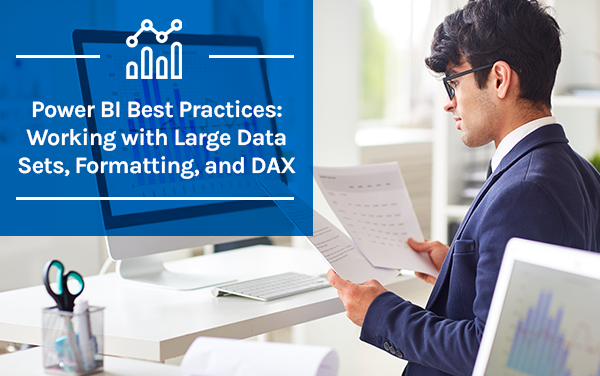
K2's Taking Another Look At Power BI
K2's Automation - Beyond The Basics With The...
K2's Getting Started With Artificial Intelligence
K2's Case Studies In Fraud And Technology Controls
8 sessions across 4 days, taught by Brian Tankersley and Stephen Yoss — see the full agenda ↓
About this event
Build the ethical, secure, and efficient tech foundation your firm needs. This four‑day virtual conference delivers practical guidance on modern risk controls, AI adoption, automation, data analytics, and Microsoft 365—so you can protect client data while improving productivity. From emerging tech strategy to real‑world fraud and control failures, each session is designed to translate complex tools into clear, actionable steps you can apply immediately in public practice or industry.
Across eight live sessions, you’ll explore topics like AI fundamentals, ethical automation, Power BI reporting, Microsoft 365 integration, confidentiality safeguards, and the latest tech tools for financial professionals. The program is built to help you make smarter technology decisions, reduce risk exposure, and align your processes with best practices in security and compliance. You’ll also gain insight into how emerging tools impact audit quality, client service, and firm profitability.
Agenda
Select a day, then a class, for full details.
Day 1 Monday, August 24, 2026 1 session
 What's Coming Next: Technology Strategies for CPAs
11:30 AM – 1:30 PM · Stephen Yoss · 3 credits
What's Coming Next: Technology Strategies for CPAs
11:30 AM – 1:30 PM · Stephen Yoss · 3 credits
If you only take one technology course this year to stay current, this is it. This high-level update provides a comprehensive look at the major shifts in hardware, software, and market trends that will define the professional landscape in 2026. We move beyond the headlines to identify the "best of the best" tools and strategies that offer genuine business value, helping you separate meaningful progress from short-term hype. Whether you are working from a traditional office, a home setup, or a mobile environment, this session clarifies how to align your tech stack with the current direction of the industry. The curriculum balances big-picture market insights with practical updates on the tools you use daily. We will examine the evolution of intelligence in the workplace—tracking the move from simple AI chat prompts toward integrated, agentic workflows that handle real business...
 Taught by Stephen Yoss · ★ 4.7
Information Technology3 CPE creditsLiveHero
Day 2 Tuesday, August 25, 2026 3 sessions
 Hot Tech Tools and Services for Financial Professionals
7:00 – 9:00 AM · Stephen Yoss · 2 credits
Hot Tech Tools and Services for Financial Professionals
7:00 – 9:00 AM · Stephen Yoss · 2 credits
The modern financial professional’s efficiency is directly tied to the ecosystem of applications and hardware they navigate daily. This course provides a comprehensive tour of the most effective tools and services categorized across mobile, desktop, and cloud environments. We move beyond standard office software to explore open-source alternatives and specialized "productivity gems" that offer high value for small business practitioners. The session also addresses the intersection of professional and personal efficiency by examining how home automation can be integrated to create a more seamless and focused work-from-home experience. A significant portion of the program is dedicated to the power of Integration Platform as a Service (iPaaS) solutions. We will demystify how tools like n8n, Power Automate, and Zapier allow disparate systems to communicate, enabling basic but powerful...
You'll learn to:
- Identify and categorize high-impact mobile, desktop, and cloud applications for professional financial use.
- Recognize the capabilities of iPaaS tools like n8n and Zapier for connecting software ecosystems.
- Describe the benefits of open-source applications and home automation in a professional workflow.
- Recall the steps for implementing passkey-based authentication to enhance individual and firm security.
- List the primary functions of agentic AI tools within a basic automated task environment.
Taught by Stephen Yoss · ★ 4.7
Specialized Knowledge2 CPE creditsLiveHero
 Microsoft 365 Mastery: When Everything Works Together
9:30 – 11:30 AM · Stephen Yoss · 2 credits
Microsoft 365 Mastery: When Everything Works Together
9:30 – 11:30 AM · Stephen Yoss · 2 credits
Most accounting professionals utilize only a fraction of the power available within their Microsoft 365 subscription, often treating Word, Excel, and Outlook as isolated islands. This session moves beyond basic app usage to focus on the “unified ecosystem” advantage—the seamless integration of data, security, and user provisioning that allows a firm to operate as a single, cohesive unit. We will address the common frustration of “app overload” by demonstrating how Microsoft 365 serves as a turnkey solution that replaces disconnected tools with integrated workflows that simply work together. Participants will explore the strategic shift from traditional file servers to a cloud-centric environment where data is accessible anywhere, at any time, on any device. We will dive into high-impact collaboration techniques, including real-time co-authoring across Excel, Word, and PowerPoint,...
Taught by Stephen Yoss · ★ 4.7
Specialized Knowledge2 CPE creditsLiveHero
 Securing Confidentiality: Safeguarding Client Data Under IRS Rules
12:00 – 2:00 PM · Stephen Yoss · 2 credits
Securing Confidentiality: Safeguarding Client Data Under IRS Rules
12:00 – 2:00 PM · Stephen Yoss · 2 credits
Tax Security Essentials: Implementing a WISP for Tax Professionals Tax practices face a critical responsibility: safeguarding client data against cyber threats. This course is tailored for professionals in the tax industry, offering a deep dive into the essentials of creating and maintaining a Written Information Security Plan (WISP) as mandated by IRS regulations and the FTC Safeguards Rule. With a focus on IRS Publications 4557, 5293, and 5708, along with insights from NISTIR 7621, participants will learn not just the theory but the practical steps needed to enhance their practice's security posture. The course content is designed to be direct and engaging, ensuring that attendees can easily translate knowledge into action. The curriculum covers a broad spectrum of critical topics, from developing a compliant WISP to recognizing and responding to cyber threats, and from...
You'll learn to:
- Classify the essential components of a Written Information Security Plan (WISP) that fulfills IRS and FTC Safeguards Rule requirements for protecting sensitive taxpayer data
- Evaluate organization practices to identify security gaps and areas for improvement in meeting IRS standards for access controls, employee training, and data protection
- Apply encryption, backup procedures, and other practical data security measures to reinforce defenses against unauthorized access or cyberattacks
- Develop risk mitigation strategies and response plans to recognize phishing attempts, monitor EFIN/PTIN usage, and report suspected data breaches
- Construct a customized information security plan utilizing IRS Publication 4557 to safeguard confidential client records while ensuring ongoing compliance through continuous monitoring
Taught by Stephen Yoss · ★ 4.7
TaxesInformation Technology2 CPE creditsLiveHero
Day 3 Wednesday, August 26, 2026 3 sessions
 K2's Taking Another Look At Power BI
7:00 – 9:00 AM · Brian Tankersley · 2 credits
K2's Taking Another Look At Power BI
7:00 – 9:00 AM · Brian Tankersley · 2 credits
Although Power BI has been available for ten years, most business professionals don’t fully appreciate all it can do and its easy use. Further, many are intimidated by the platform and continue to use less efficient and effective reporting practices. If this describes you, invest some time in this session to learn how to work with Power BI almost immediately. In this session, you will learn how to use Power BI to create compelling dashboard reports. You will also learn how to optimize these reports to enhance their effectiveness. If you want to improve financial and operational reporting processes, this session is for you!
You'll learn to:
- List the basic steps necessary to generate a Power BI report
- Distinguish between Power BI reports and dashboards
- Identify the necessary steps to link data into Power BI
- List the steps necessary to create a Power BI report
- Specify the steps necessary to convert a Power BI report to a dashboard
 Taught by Brian Tankersley · ★ 4.5
Computer Software and Applications2 CPE creditsLiveHero
 K2's Automation - Beyond The Basics With The Microsoft Power Platform
9:30 – 11:30 AM · Brian Tankersley · 2 credits
K2's Automation - Beyond The Basics With The Microsoft Power Platform
9:30 – 11:30 AM · Brian Tankersley · 2 credits
This session is for accounting professionals aiming to enhance their automation expertise with the low-code/no-code tools in Microsoft Power Apps and Power Automate. Participants will explore techniques to create simple workflows and develop custom applications, including “describe it to design it.” The session focuses on automating processes, such as approvals, workflow automation, and data manipulation, while accessing and utilizing data from Microsoft Fabric and external databases. Attendees will learn about different types of workflows and the platform’s tools for Robotic Process Automation (RPA). Further, they will leave with a better understanding of the Power Platform so they can drive digital transformation in their organizations.
You'll learn to:
- Design workflows in Power Automate for automating approvals and basic workflows.
- Understand and describe how diverse data sources, including Microsoft Dataverse, can be incorporated into process automation solutions
- Name one of the demonstrated tools used to address specific automation requirements efficiently and accurately
Taught by Brian Tankersley · ★ 4.5
Computer Software and Applications2 CPE creditsLiveHero
 K2's Getting Started With Artificial Intelligence
12:00 – 2:00 PM · Brian Tankersley · 2 credits
K2's Getting Started With Artificial Intelligence
12:00 – 2:00 PM · Brian Tankersley · 2 credits
Much has been written and said about Artificial Intelligence (AI). But for many professionals, AI remains an enigma because they do not know how to get started using tools such as Bard, ChatGPT, and Copilot. If that describes your situation, relax because help is here! Participate in K2's Getting Started With Artificial Intelligence to learn to use today's AI tools. This session will teach you how to access and use multiple popular AI tools to improve efficiency and productivity. If you are starting with AI, this is one session you cannot miss!
You'll learn to:
- List the steps for querying data from tools such as Bard and ChatGPT
- Identify the capabilities of Microsoft’s Copilot
- Differentiate between the capabilities of free and paid AI tools
- Name examples of risks associated with AI
Taught by Brian Tankersley · ★ 4.5
Information Technology2 CPE creditsLiveHero
Day 4 Thursday, August 27, 2026 1 session
 K2's Case Studies In Fraud And Technology Controls
7:00 AM – 2:30 PM · Brian Tankersley · 8 credits
K2's Case Studies In Fraud And Technology Controls
7:00 AM – 2:30 PM · Brian Tankersley · 8 credits
Fraud continues to plague businesses at epidemic levels, and technology control failures are a significant reason fraud occurs. Using a case study approach, in this session, you will learn about the pervasiveness of fraud, the control failures contributing to fraud, and what you can do to mitigate fraud risk. A specific focus of this course is applying information technology general controls and information technology application controls. In this course, you will examine numerous reported fraud cases and identify the general and application control failures that contributed to each fraud. By learning through these real-world case studies, you will be positioned better to reduce fraud risk.
You'll learn to:
- Define information technology general controls and information technology application controls and distinguish between the two
- List examples of critical information technology controls
- Recognize control failures and weaknesses that can lead to fraud
- •List recommendations for improving internal controls in an organization
Taught by Brian Tankersley · ★ 4.5
Auditing8 CPE creditsLiveHero
Your instructors
Brian Tankersley
Speaker & Author · K2 Enterprises · ★ 4.5 instructor rating
Brian Tankersley is a consultant who advises US firms and companies on accounting technology issues. Mr. Tankersley is a frequent speaker at continuing education courses for K2 Enterprises, and publishes a nationally recognized blog on accounting and technology (www.cpatechblog.com). He has also served as the technology editor for a major accounting industry publication. Mr. Tankersley has over 25 years of...
Full profile →
Stephen Yoss
Speaker & Author · CPE Today · ★ 4.7 instructor rating
Stephen M. Yoss, Jr., CPA, MS, is a certified public accountant, partner and CEO of Devmatics, LLC, a continuing education instructor for financial professionals, a and a licensed pyrotechnician. While his interests and skills are varied, they all share a common thread—his love for and skill in finding technology-based solutions. In 2017, Stephen and Alex White formed Devmatics, LLC, a company focused on helping...
Full profile →Co-sponsored with your state society
We're proud to co-sponsor this event with the societies below. Society members: register through your state society to receive special member pricing — check your society's CPE catalog or member portal for this event, or register directly with us here.
K2 Enterprises
Nebraska Society of CPAs
Connecticut Society of CPAs
Kentucky Society of CPAs
Michigan Association of CPAs
New Mexico CPA Foundation
Ohio Society of CPAs
Oklahoma Society of CPAs
Montana Society of CPAs
Alabama Society of CPAs
Massachusetts Society of CPAs
Indiana CPA Society
Washington Society of CPAs
Illinois CPA Society
Georgia Society of CPAs
Not sure whether your society participates? Ask us — we'll point you to the right registration path.
💬 Ask this event
Not sure it covers what you need? Ask a real question — answered from the sessions, so you can decide before you enroll.
Reading the event…
Answers come from this event's own material and can be imperfect — the full details are in the event itself.
What attendees say about these sessions
Every event runs once, so these are verified reviews from past attendees of the individual sessions on this agenda — the same instruction, the same courses.
★★★★★
“The session was very well paced and informative. In particular, I found the discussion on AI to be insightful and gave me a better appreciation for the changes that are coming.”
★★★★★
“I'm glad that i decided on this breakout session. I thought I would not be interested in Power BI but I saw how useful it could be.”
★★★★★
“Great concise summary of the information with useful information”
★★★★★
“This is the best course I have taken on AI. Thank you so very much! I have a much better understanding of how to use AI (and how not to use AI).”
★★★★★
“I appreciated the information about basic AI.”
★★★★☆
“Stephen did a very good job of going over the material and providing information that made the material and the subject seem understandable.”
Related reading from our instructors
Similar events — see how comparable events rate
Seminar
Happening now
 Seminar
Happening now
Seminar
Happening now
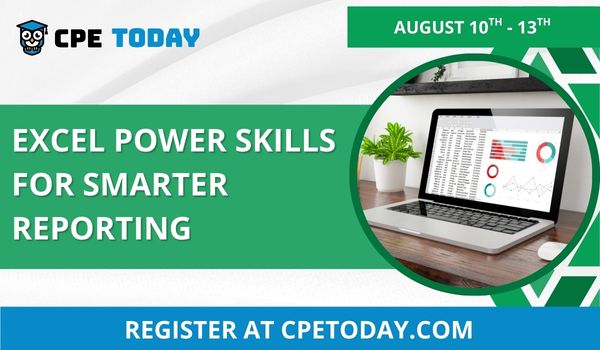
Excel Power Skills for Smarter Reporting
Computer Software and Applications
★★★★★
4.6 (102)
$175 / day
 Seminar
Next week
Seminar
Next week